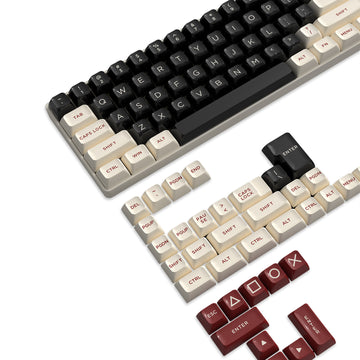
Choose a 75% keyboard when horizontal desk space and mouse clearance matter most, and choose a TKL (80%) layout when separated navigation keys and familiar spacing matter more. Both keep the function row and arrow keys without a numpad, but 75% boards group everything more tightly. The exact model's listed dimensions, layout image, and features always settle the fit better than the category name alone.
Key Takeaways
- Both 75% and TKL layouts keep the function row and arrow keys without a numpad; 75% arranges the surrounding keys more tightly for a smaller footprint.
- Favor TKL when you rely on separated Home, End, and Page navigation keys; favor 75% when mouse clearance is your tighter constraint.
- A rotary knob is a model-specific feature. Neither layout guarantees one, so check the exact listing for its controls and software support.
- 75% generally frees up more horizontal desk space than TKL, but the product's listed width and depth decide the real fit.
- Compare the exact model's dimensions, layout image, and knob behavior before adding it to your cart.
75% vs TKL: The Practical Choice
Both layouts keep the same core keys, just arranged with different spacing. The 75% and TKL key groups both include the alphanumeric block, function row, and arrow keys without a numpad, but 75 percent keyboards compress the surrounding keys to save desk space.
| Dimension or feature | 75% tendency | TKL tendency | Purchase implication |
|---|---|---|---|
| Retained key groups | Alphanumeric, function row, arrows | Alphanumeric, function row, arrows | Neither drops core navigation keys |
| Group spacing | Tighter gaps between groups | More separation between groups | Check comfort with condensed clusters |
| Individual keycap pitch | Typically standard | Typically standard | Spacing differences are between groups, not within them |
| Arrow/navigation placement | Closer to function row | More room around the cluster | Inspect the layout image before buying |
| Relative footprint | Generally narrower | Wider than 75%, narrower than full-size | Measure your usable desk width |
| Exact dimensions | Model-specific | Model-specific | Always confirm on the product listing |
| Rotary knob | Model-specific, not guaranteed | Model-specific, not guaranteed | Verify presence and mapping per model |
If you rarely touch dedicated navigation keys and want the smallest footprint that still includes arrows, a 75% layout is the practical starting point. If you lean on Home, End, or Page keys constantly, treat the TKL's wider spacing as the safer default until you confirm the exact 75% model's arrangement.
Arrow Keys and Navigation Clusters: What Changes?
Both layouts keep dedicated arrow keys, but a 75% board usually pulls the arrow cluster and nearby navigation keys closer to the function row. TKL keyboards tend to preserve more separation between these groups because the wider case leaves room for it.
The compression happens between key groups, not necessarily within them. Individual keycap size usually stays the same, but the gap around the compressed navigation groups shrinks on many 75% boards. This makes TKL a slightly more comfortable pick if your muscle memory depends on separated Home, End, and Page keys, though that comfort is a personal preference rather than a proven ergonomic edge.

Before buying, look at the product photo for gaps between the arrow cluster and its neighbors, any right-shifted keys, or an unusual arrangement that could disrupt your typing habits. If you're weighing different 75% builds specifically, our breakdown of compact versus exploded layouts covers how spacing choices inside the 75% category itself can vary.
Rotary Knob Utility Is a Model Feature
A rotary knob comes from the individual keyboard, not from choosing 75% or TKL. Neither layout includes one by default, so treat the control as a separate buying decision.
A knob only earns its spot on your desk when its default action, like volume or scrolling, matches something you do often, and when it supports remapping if you need a different function. As one example, a 75% listing we carry pairs a physical knob with a small display, but that pairing is specific to the K86 knob example rather than something every 75% or TKL board includes.
Before you count a knob as a deciding factor, confirm three things on the exact listing: whether the knob is physically present, what its default controls do, and whether software lets you remap it. Skip the feature entirely if the workflow it's meant to help, like media control or zoom, isn't something you use often.
Desk Footprint and Mouse Clearance
A 75% keyboard generally leaves more horizontal room for your mouse than a TKL board, and both save space compared with a full-size keyboard. That extra room comes from a narrower case, so the exact 75% mouse clearance advantage still depends on the specific model you pick.
Width controls how much side-to-side mouse room you gain, while depth affects how much of your mousepad stays usable in front of the keyboard. Measure your desk's usable keyboard zone, the space left after the desk edge, monitor stand, and mousepad, then compare it against the product's listed width and depth. Two boards with the same layout label can still fit differently, since case design and bezel size vary between models even within the same category.
Choose by Desk Setup and Shortcut Habits
Match the layout to how you actually use your desk, then confirm the exact listing before checkout.
- Compact gaming desk: Favor 75% when mouse clearance is your limiting factor and you're comfortable with condensed groups.
- Mixed work-and-gaming setup: Favor TKL when separated navigation clusters reduce friction in daily use; stick with 75% only if the specific arrangement still feels comfortable.
- Coding or productivity desk: Prioritize the actual Home, End, and Page key placement, plus any useful knob mapping, over the layout label itself.
Before you add any board to your cart, compare its listed width and depth against your desk, check the layout image for arrow and navigation placement, and confirm whether a knob's default and remappable functions fit how you actually work.

FAQs
Does an 80% rating mean a TKL keyboard has a fixed size?
No, the 80% label is an industry shorthand for removing the number pad rather than a universal physical measurement. Two TKL boards can have different widths and depths depending on bezel design, case profile, and internal structure, so always check the product's actual dimensions.
Does choosing a 75% keyboard guarantee a rotary knob?
No, rotary knobs are model-specific additions rather than standard features of 75% or TKL layouts. You should treat the knob as a separate feature check on the specific keyboard listing to confirm its physical presence, factory assignments, and software remapping options.
How difficult is the adjustment from TKL to a 75% layout?
The primary adjustment involves navigating without distinct empty space between the alphanumeric block, arrow keys, and vertical navigation column. Keycap sizes remain standard, but users accustomed to feeling empty borders around navigation keys may need a short adjustment period to avoid accidental keystrokes.