Fast aim is only part of effective mouse control. In FPS games, fixed actuation and reset points can add unnecessary finger travel during rapid taps and repeated shots. A Rapid Trigger mouse can reset after a very small upward movement, allowing the next click to register with less release travel. When paired with TMR magnetic sensing, it also supports adjustable actuation without relying on traditional mechanical electrical contacts, giving players more control over click sensitivity, reset behavior, and consistency.
Why Fixed Actuation and Reset Points Can Limit Fast Clicking

A conventional mechanical mouse switch registers a click when its internal metal contacts close. The button must then rise far enough for those contacts to separate and reset before the next click can register.
The actuation and reset positions are determined by the physical switch mechanism. Players can change settings such as button assignments or debounce time on some mice, but they generally cannot choose where the switch activates within its travel.
This fixed behavior can become noticeable during inputs that require a quick press and release, including:
- Tapping a semi-automatic weapon
- Repeating single-shot inputs in quick succession
- Repeating an interaction command
- Placing markers or issuing rapid commands
- Switching between fast clicks and deliberate menu selections
The physical difference in one click may be small. Across a sequence of repeated inputs, however, deeper press and release travel can require more finger movement than the player prefers.
A highly sensitive switch is not always the answer either. It may respond quickly, but it can also register an unintended input when a finger rests heavily on the button. The underlying problem is the lack of control over the trigger and reset behavior.
What Is TMR Magnetic-Sensing Click Technology?

TMR stands for tunnel magnetoresistance, a sensing effect in which electrical resistance changes in response to a magnetic field. In a TMR gaming mouse, the main button moves relative to a magnetic sensing system. The sensor output changes with the button position, allowing the mouse to track how far the button has traveled.
This provides more information than a conventional on-or-off mechanical contact. Instead of waiting for two metal electrical contacts to meet at one fixed point, the mouse can use the sensor signal to determine when the press should activate.
Software can then define different actuation thresholds within the available button travel. A shorter setting registers the click earlier in the press, while a deeper setting requires more deliberate movement.
Continuous position detection provides the foundation for adjustable actuation and Rapid Trigger. TMR measures the movement, while the mouse firmware uses that information to decide when each click activates and becomes ready for the next press.
This contactless detection method can also help reduce the mouse double click issue associated with traditional mechanical electrical contacts. It does not prevent every possible unwanted double input because firmware, software, and other hardware conditions may also affect click behavior.
TMR vs. Traditional Mouse Switches
The main difference between TMR and a traditional mechanical mouse switch is how each system detects a click. A mechanical switch registers input when its internal electrical contacts meet. A TMR system detects changes in the button’s position through a magnetic field, allowing compatible firmware to define actuation and reset behavior through software.
| Comparison | TMR Magnetic Sensing | Traditional Mechanical Switch |
|---|---|---|
| How input is detected | Tracks button movement through changes in a magnetic field | Registers a click when physical electrical contacts close |
| Actuation point | Can support adjustable actuation within the available button travel | Usually fixed by the physical switch mechanism |
| Reset behavior | Can support movement-based reset through Rapid Trigger | Resets after returning past a fixed physical point |
| Click feedback | Detection can be paired with separately adjustable haptic feedback | Physical click feel and electrical activation are produced by the same switch mechanism |
| Contact wear | Detection does not rely on electrical contacts repeatedly touching | Repeated contact wear may contribute to unwanted double-click behavior over time |
| Customization | Compatible designs can separately control actuation, reset sensitivity, and haptic strength | Customization is generally limited because actuation and reset are mechanically defined |
TMR gives the mouse more control over how button movement becomes an input. The player can potentially adjust how far the button must travel to activate and how much it must rise before another click becomes available. Traditional mechanical switches offer a familiar physical click, but their actuation and reset positions are generally built into the switch.
The available settings still depend on the design of the mouse. TMR sensing provides the positional data, while the firmware, button mechanism, and software determine whether features such as adjustable actuation, Rapid Trigger, and customizable haptic feedback are available.
How Does Rapid Trigger Change the Reset Point?

Rapid Trigger controls how quickly a button resets after activation. It uses button movement rather than a single fixed release position to prepare the mouse for the next input.
The process has three stages:
1. The button moves downward and crosses the selected actuation point.
2. The click registers.
3. The button resets after the selected amount of upward movement.
With a sensitive Rapid Trigger setting, the button may need to rise only a short distance before another press can register. The player can begin the next click without releasing through as much travel.
Actuation and Rapid Trigger control different parts of the click. Actuation determines how far the button must be pressed. Rapid Trigger determines how far it must move upward before resetting.
This distinction matters because a player may want a deliberate initial press with a faster reset afterward. Another player may prefer both a short actuation point and a sensitive reset for rapid repeated inputs.
Rapid Trigger does not create automatic clicks or bypass a game’s input rules. Every action still requires a manual press. The technology only changes how the mouse detects and resets that press.
Where Can Faster Reset Help During Gameplay?
Faster reset is most relevant when an action requires several separate clicks in a short period. It reduces the physical release movement between inputs, which can make repeated clicking feel more immediate.
In an FPS game, this may help with controlled tapping, semi-automatic weapons, target marking, or rapid interactions. The benefit is less relevant when the button remains held down, such as during sustained automatic fire.
Other genres may also involve repeated clicking. Strategy and MOBA players often issue movement commands, select targets, or activate actions in quick succession. A shorter reset can reduce unnecessary finger travel during these sequences.
The feature still depends on the player’s timing and control. It does not improve aim or decision-making by itself. Its role is to make the click response better match the movement the player is already trying to perform.
How Haptic Feedback Works With Adjustable Actuation
A traditional mechanical switch links electrical activation and physical click feel to the same mechanism. Magnetic sensing separates these functions. The sensor determines when the input registers, while haptic feedback can provide physical confirmation at the selected trigger point.
The three settings control different parts of the experience:
| Setting | What It Changes | What the Player Notices |
|---|---|---|
| Actuation | How far the button moves before activation | Click sensitivity |
| Rapid Trigger | How much upward movement resets the button | Repeated-click response |
| Haptic feedback | The strength of physical confirmation | Click feel |
A haptic feedback gaming mouse can provide a light response for subtle confirmation or a stronger response for a more defined click. Turning the feedback off can provide a cleaner feel when physical confirmation is unnecessary.
Haptic intensity does not determine the actuation or reset distance. A player can use a short trigger with strong feedback, a deeper trigger with light feedback, or another combination that feels more natural.
How to Balance Faster Clicks With Accidental-Click Control
The shortest actuation and reset settings are not automatically the most effective. A setting should respond quickly while still allowing the player to rest a finger on the button without causing unwanted inputs.
Use the following process to find a practical balance:
1. Begin near the middle of the adjustment range. This creates a neutral starting point for evaluating both speed and control.
2. Test normal desktop actions. Select text, drag files, and switch browser tabs to identify accidental clicks before entering a match.
3. Shorten the actuation distance gradually. Move one level at a time until the click feels responsive without becoming difficult to control.
4. Adjust the reset separately. Use a more sensitive Rapid Trigger setting if repeated inputs still require too much release movement.
5. Tune the haptic strength last. Choose enough feedback to confirm each activation without making repeated clicks distracting.
Players with a light resting touch may prefer a shorter trigger. Players who grip the mouse firmly may need more travel to prevent accidental activation. The game, weapon type, and action assigned to the button can also affect the most comfortable setting.
A customizable gaming mouse makes it possible to change these settings instead of forcing every player to use the same response.
FAQs
Q1. Is TMR the Same as Hall Effect?
No. Both technologies can detect movement through magnetic fields, but they use different sensing principles. Hall Effect sensors measure a voltage produced by a magnetic field. TMR sensors measure changes in electrical resistance within a magnetic sensing structure. Either technology can support position-based input when implemented with suitable hardware and firmware.
Q2. Is Rapid Trigger the Same as an 8K Polling Rate?
No. Rapid Trigger controls when a button resets after it moves upward. Polling rate describes how often the mouse reports input data to the computer. The two features operate at different stages of the input process and should be evaluated separately.
Q3. Does Rapid Trigger Affect DPI or Cursor Tracking?
No. Rapid Trigger controls the main-button response rather than cursor movement. DPI, tracking speed, acceleration handling, and lift-off behavior come from the mouse sensor and its settings. Changing the Rapid Trigger level should not change how far the cursor moves when the mouse travels across the pad.
Q4. Does a TMR Mouse Click Silently?
Not necessarily. TMR describes how button movement is detected, not how much sound the complete click system produces. Button construction, shell movement, return components, and haptic intensity can all affect the sound and physical feel of a click.
Q5. What Is Adjustable Actuation on a Gaming Mouse?
Adjustable actuation lets the player choose how far a mouse button must move before the click registers. A shorter actuation distance responds to a lighter press, while a deeper setting requires more deliberate button travel. On a compatible TMR mouse, this threshold can be adjusted through software without changing the physical switch.
Q6. Is Rapid Trigger Better for FPS Games?
Rapid Trigger can be useful in FPS games when players need to release and press a button repeatedly with minimal finger travel. It may make controlled tapping, semi-automatic fire, target marking, and repeated interactions feel more responsive. However, the most sensitive setting is not always the best choice. Players should balance faster reset with enough release distance to prevent accidental clicks.
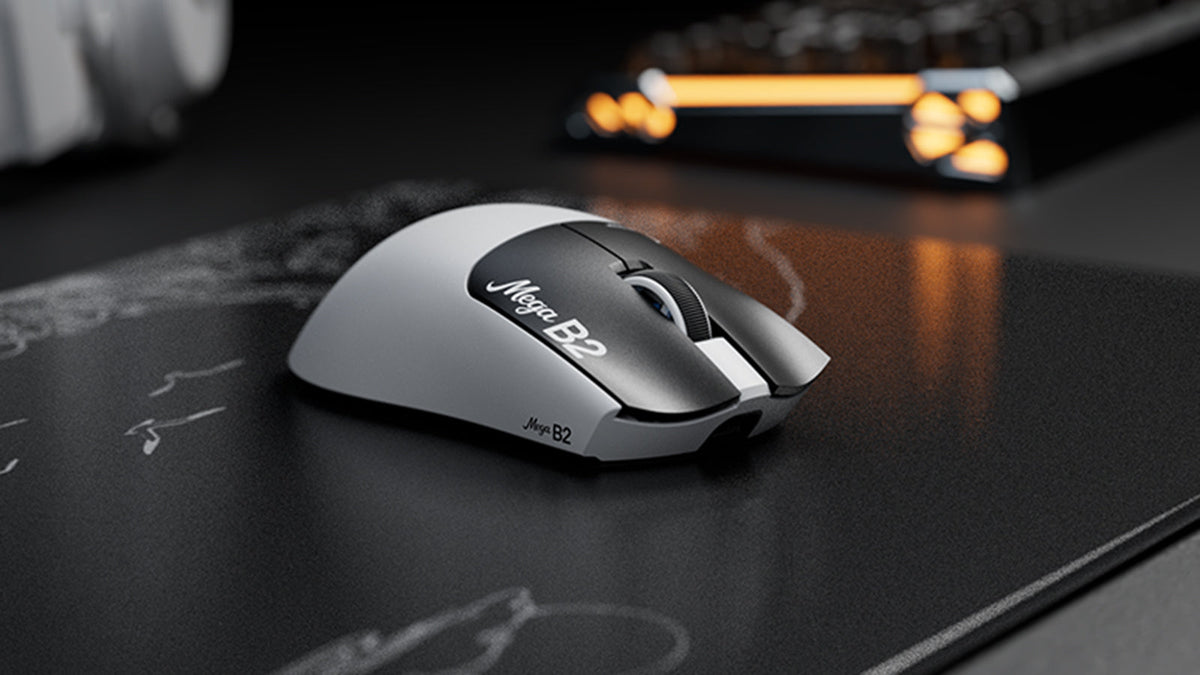
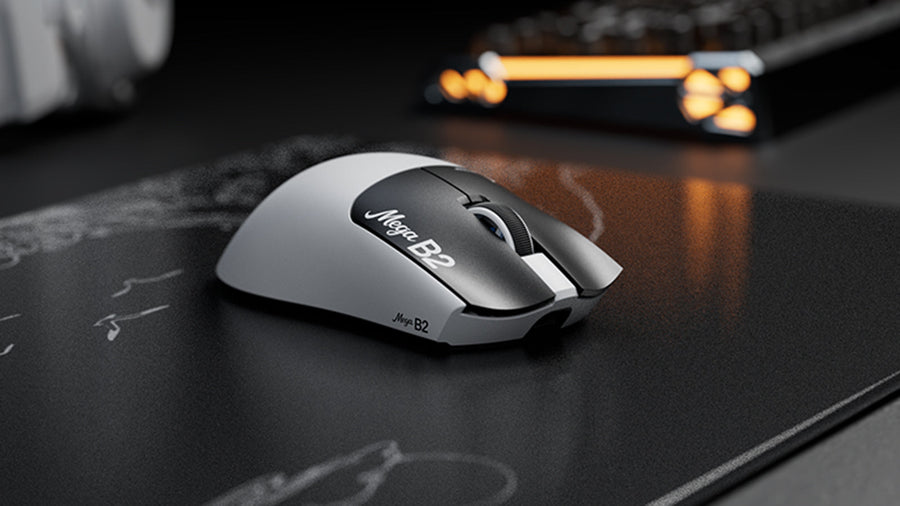
Meet the ATTACK SHARK MEGA B2 Rapid Trigger Mouse!
With the MEGA B2, we bring TMR magnetic sensing, adjustable actuation, Rapid Trigger, and haptic feedback into one connected click system. Its main buttons offer 10 actuation levels down to 0.1mm, five Rapid Trigger levels, and five haptic strengths with an off option. Settings are available through the web driver or PC software, so you can tune faster repeated clicks without giving up deliberate control. Ready to rethink how your mouse responds? Explore the ATTACK SHARK MEGA B2, review the full specifications, and check the latest pre-sale details.