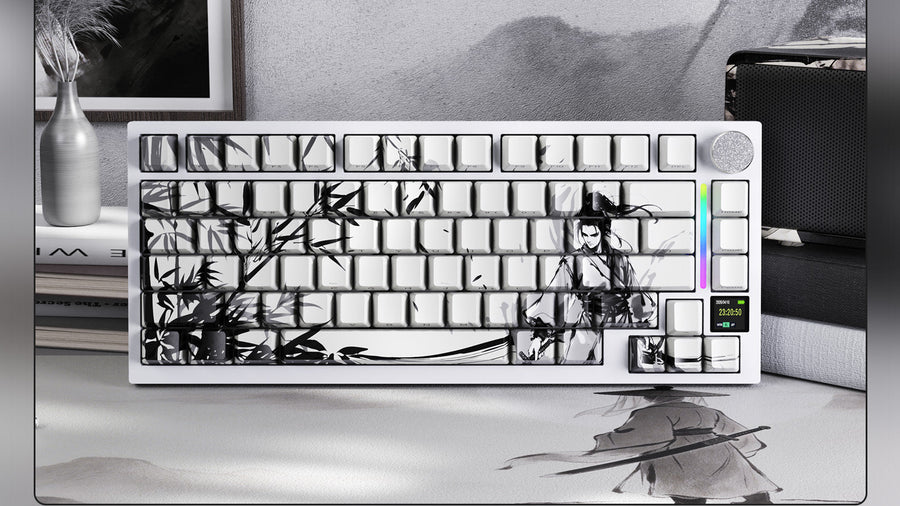
When building a mechanical keyboard, most people focus entirely on the switches and keycaps. However, the plate that holds those switches in place is the hidden foundation of your typing experience. Different keyboard plate materials completely alter how a keyboard sounds (its acoustic profile) and how it feels (its typing flexibility).
Whether you are building your first board or upgrading a pre-built model, understanding the specific properties of Aluminum, Polycarbonate (PC), and FR4 is essential for achieving the exact typing feel and sound you desire.

Why Does the Plate Matter in Custom Keyboards?
In the world of custom keyboards, the plate is the structural layer located between the switches and the Printed Circuit Board (PCB). Its primary job is to hold the switches firmly in place. However, the physical density and flexibility of the material used to make the plate dictate the overall user experience.
How Does the Plate Affect Typing Feel?
The typing feel is defined by how much the keyboard "gives" or bends when you press a key. A very stiff plate provides a harsh, solid bottom-out feeling. This means your fingers come to an abrupt stop at the end of every keystroke. A flexible plate provides a softer, bouncier bottom-out. This flexibility absorbs the impact of your keystrokes, which can significantly reduce finger fatigue during long typing sessions.
How Does the Plate Affect Keyboard Acoustics?
The material of the plate acts as an acoustic resonator. When the plastic stem of a switch hits the bottom of its housing, that vibration travels directly into the plate. Dense, hard keyboard plate materials reflect sound waves, creating a higher-pitched, louder typing sound. Softer, less dense materials absorb sound waves, creating a lower-pitched, deeper sound profile. If you are chasing a specific sound—whether it is a sharp "clack" or a deep "thock"—the plate material is the most important variable after the switches themselves.

What Makes Aluminum Plates Stiff, Clacky, and Classic?
Aluminum is the undisputed standard in the mechanical keyboard industry. It is the most common plate material found in both pre-built boards and high-end custom keyboards.
The Typing Experience of Aluminum
Aluminum is a rigid, dense metal. When you type on an aluminum plate, there is virtually no flex or "bounce". Every keystroke feels solid and highly consistent across the entire board. This stiffness is why aluminum is heavily favored for a mechanical keyboard gaming setup. When playing fast-paced games where precision is critical, gamers often prefer a hard bottom-out so they know exactly when a key has been fully actuated.
The Sound Profile of Aluminum
Acoustically, aluminum produces a bright, higher-pitched sound. In the keyboard community, this sound is usually described as "clacky." Because the metal is dense, it does not absorb the high-frequency vibrations generated by the switches. If you enjoy a loud, crisp, and defined typing sound, an aluminum plate paired with tactile or clicky switches will deliver exactly that.
Why Are Polycarbonate (PC) Plates Flexible and "Thocky"?
Polycarbonate (PC) is a durable, slightly translucent plastic. In recent years, it has become incredibly popular for custom builds, especially among users who type for hours every day.
Polycarbonate is significantly softer and more flexible than aluminum. When you press down firmly on a keyboard with a PC plate, you can physically feel the entire plate bend slightly. This flexibility acts like a shock absorber for your fingers. The soft bottom-out feeling makes typing for long periods much more comfortable and less jarring on your joints.
Because PC is a softer plastic, it naturally absorbs higher-frequency sound waves. This muting effect lowers the overall pitch of the keyboard. A PC plate is the primary ingredient required to achieve the deep, muted "thock" sound that many enthusiasts desire. It removes the sharp harshness from bottoming out, resulting in a deeper, more bass-heavy keyboard acoustics profile.
Are FR4 Plates the Perfect Middle Ground?
FR4 (Flame Retardant 4) is a composite material made from woven fiberglass cloth infused with an epoxy resin. It is the exact same material used to manufacture the actual Printed Circuit Board (PCB) inside all electronics.
The Typing Experience of FR4
FR4 offers a typing feel that sits perfectly between the rigid stiffness of aluminum and the high flexibility of polycarbonate. It is firm enough to provide a consistent typing experience without feeling harsh or fatiguing. Because it is a composite material, manufacturers can cut "flex cuts" (small physical slits) into the FR4 plate around the alphanumeric keys. These cuts allow the plate to bend specifically where you type the most, providing a tailored, bouncy typing feel.
The Sound Profile of FR4
Acoustically, FR4 is very neutral. It does not produce the high-pitched clack of aluminum, nor does it completely mute the switches like polycarbonate. Instead, an FR4 plate tends to amplify the natural sound of the switch itself. If you want to hear exactly what a specific switch sounds like without the plate altering its pitch, FR4 is the most accurate material available for pure keyboard acoustics.
How to Match Plate Material With the Right Switches
Choosing the right plate is only half the equation. Because a hot swap keyboard allows you to change switches easily, you must understand how different switch types interact with different plates.
Pair with Linear Switches
Linear switches are smooth and consistent from top to bottom. They are generally quieter than other types.
- If you want a very deep, muted sound (thock), pair linear switches with a Polycarbonate (PC) plate.
- If you want to hear the smooth glide of the linear switch clearly, pair it with an FR4 plate.
Pair with Tactile Switches
Tactile switches have a physical "bump" you can feel as you press the key.
- If you want to emphasize the sharp, crisp feeling of that tactile bump, pair them with an Aluminum plate. The rigid metal prevents any flex, making the tactile event feel more pronounced.
- If you pair heavy tactile switches with a very soft PC plate, the flexibility of the plate can sometimes absorb the tactile bump, making the switches feel "mushy."
Pair with Clicky Switches
- Clicky switches are designed to be loud and sharp.
- Always pair clicky switches with an Aluminum plate. The dense metal amplifies the high-pitched click, providing the classic, loud typewriter sound. Using a soft PC plate with clicky switches often results in a confusing, muffled sound profile.
Which Keyboard Plate Material Is Right for You?
The plate is the physical core of any custom mechanical keyboard, directly dictating how the board sounds and feels under your fingers. Aluminum provides a rigid, clacky experience perfect for gaming precision. Polycarbonate offers a soft, flexible typing feel and the deep "thock" sound favored by heavy typists. FR4 provides a perfectly balanced middle ground, offering a neutral acoustic profile that highlights the true sound of your switches. By understanding the unique properties of these keyboard plate materials, you can build a customized typing experience that perfectly matches your daily needs and personal preferences.
FAQs
What is the best plate material for a hot swap keyboard?
For beginners modifying a hot swap keyboard, an FR4 plate is generally the best starting point. It offers a balanced sound and feel that works well with almost any switch type, allowing you to experiment freely.
Does a polycarbonate plate break easily?
No. Polycarbonate is the same highly durable plastic used to make bulletproof glass and safety goggles. While it is physically flexible and bends under pressure, it will not shatter or crack during normal keyboard use or assembly.
Which plate material is best for a mechanical keyboard gaming setup?
Most competitive gamers prefer an aluminum plate for a mechanical keyboard gaming setup. The rigid stiffness provides a harsh, immediate bottom-out, giving the player instant physical feedback that a key has been fully pressed during fast-paced action.
How do I make my keyboard sound "thocky"?
To achieve a deep "thocky" sound profile, you should combine a Polycarbonate (PC) plate with lubricated linear switches and thick PBT keycaps. The soft plastic of the PC plate absorbs the high-pitched sound waves, lowering the overall pitch of the keystrokes.