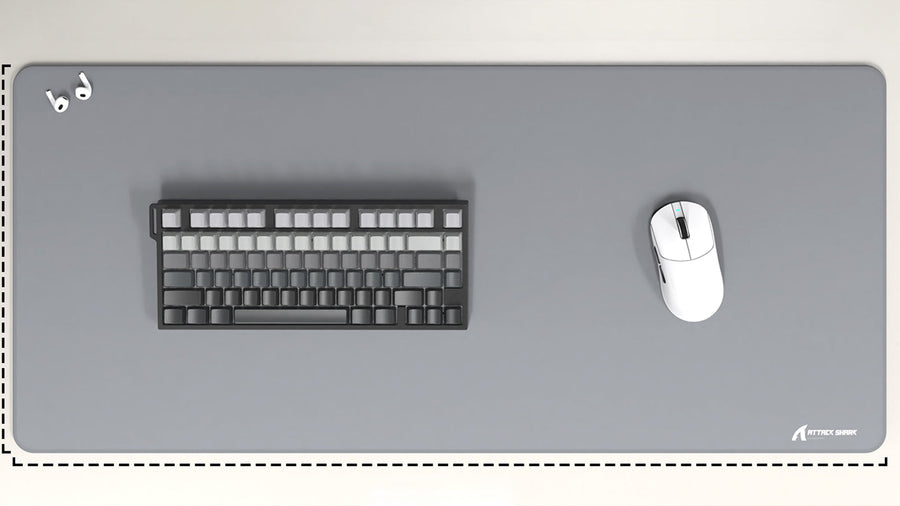
A gaming mousepad affects more than desk appearance. It changes mouse space, surface feel, keyboard sound, wrist comfort, and how clean the setup looks.
The choice between a full desk mat and a standard pad depends on how much room you need, how you aim, how you type, and what kind of desk setup you want.

What Is The Difference Between A Desk Mat And A Standard Mousepad?
A standard mousepad is usually made for the mouse only. It sits beside the keyboard and gives the mouse a dedicated tracking surface. Sizes vary, but it normally takes up less desk space than a full mat.
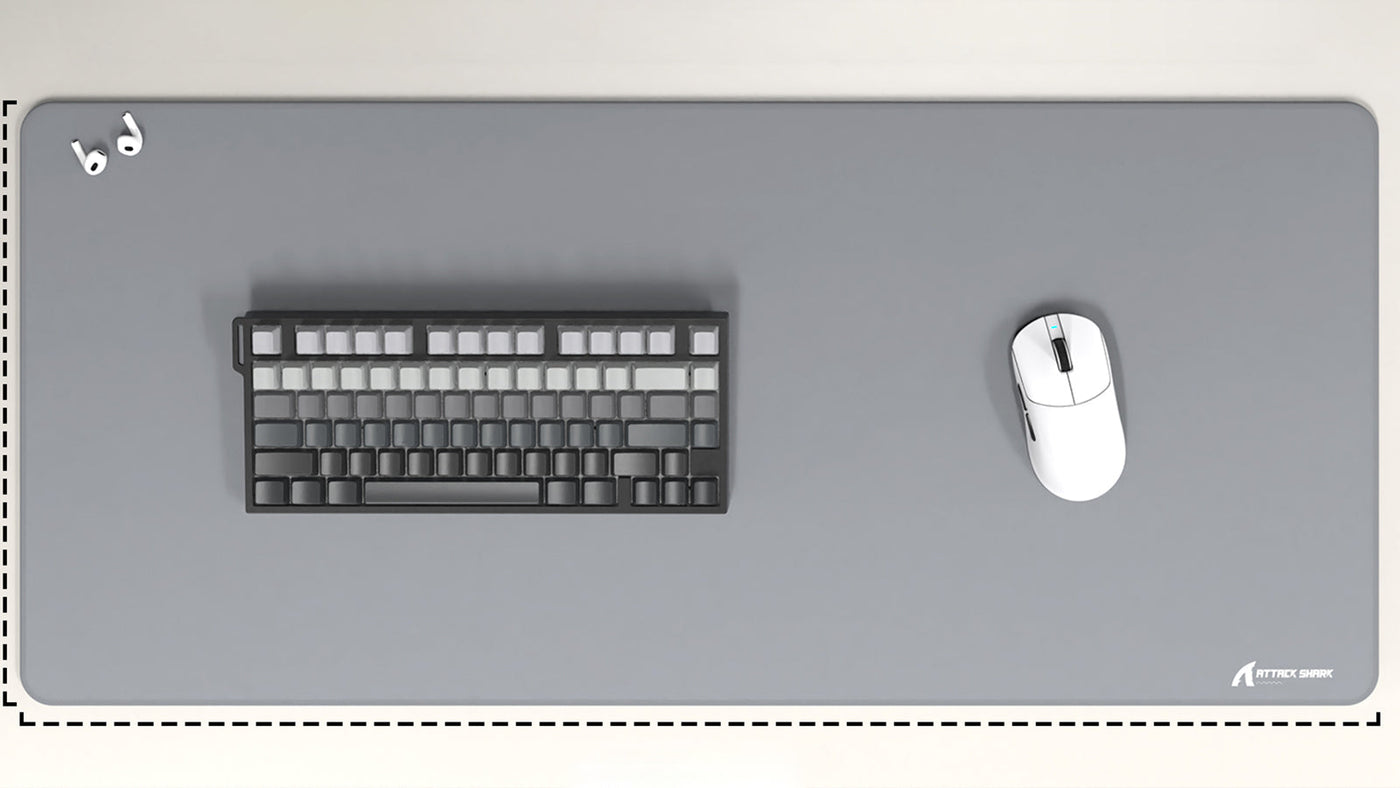
A desk mat is much larger. It often sits under the keyboard and mouse together, covering a wide part of the desk. Some people choose a desk mat for comfort, while others use it to improve desk setup aesthetics and protect the desk surface.
The simple difference is coverage. A standard pad gives the mouse its own area. A desk mat turns a larger part of the desk into one consistent surface.
Desk Mat Pros
A desk mat gives more movement space, especially for low-sensitivity players. It also creates a cleaner visual layout because the keyboard and mouse sit on the same surface. For people who dislike small pads shifting around, a larger mat may feel more stable.
Standard Mousepad Pros
A standard gaming mousepad is easier to move, clean, and replace. It also takes up less room, which matters on small desks. Some users prefer a smaller pad because it keeps the keyboard directly on the desk and leaves more open space.

Performance Matters: Glide, Control, And Tracking
Performance depends more on surface quality than size alone. A large desk mat is not automatically better than a smaller pad. The important factors are texture, thickness, base grip, stitching, and how consistent the surface feels.
Mouse Glide And Tracking
Mouse glide and tracking describe how smoothly the mouse moves and how accurately the sensor reads the surface. A good pad should let the mouse move without skipping, dragging, or feeling uneven.
For gaming, consistency matters. If the surface changes across different areas, aim can feel less predictable. This is where a high-quality standard pad can beat a low-quality desk mat.
A cloth surface usually gives more control. A hard surface usually feels faster. Hybrid surfaces sit between the two. The right choice depends on the game and sensitivity settings.
Low Sensitivity vs High Sensitivity
Low-sensitivity players often benefit from a larger surface. Wide arm movements need more room, especially in FPS games. This is where an extra large mousepad gaming setup makes sense.
High-sensitivity players may not need that much space. If most movement comes from the wrist, a standard pad can be enough. In that case, buying a larger mat is more about comfort and setup style than performance.
Does Size Improve Aim?
Size only helps if the current pad limits movement. If the mouse often reaches the edge during fast turns, a larger pad can help. If the current pad already gives enough space, a bigger mat will not automatically improve aim.
For most gamers, the best surface is one that supports natural movement without forcing the hand to stop, lift, or reset too often.
Desk Mat Vs Standard Mousepad: Which Feels Better?
The debate around desk mat vs standard mousepad usually comes down to feel and space. A desk mat feels more unified because both hands rest on the same material. A standard pad feels more focused because only the mouse area is optimized.
Desk Mat Feel
A desk mat can make the whole desk feel softer. The keyboard sits on the mat, and the mouse moves across the same material. This can make the setup feel more organized and comfortable during long sessions.
The downside is that not every desk mat is designed for competitive tracking. Some are made more for appearance than performance. If the weave is too rough, too soft, or inconsistent, mouse glide and tracking can suffer.
Standard Mousepad Feel
A standard pad can be more specialized. Many gaming pads are made for speed, control, or balanced movement. This makes it easier to choose a surface based on playstyle.
The downside is the smaller footprint. If the pad moves around or does not cover enough area, it can feel limiting. It may also create a less uniform desk surface if the keyboard and mouse rest on different materials.
Acoustics And Keyboard Feel
A desk mat can change how the keyboard sounds and feels. This is one reason it is popular in mechanical keyboard setups.
When a keyboard sits directly on a hard desk, vibrations can transfer into the desk surface. A mat adds a soft layer between the keyboard and desk. This can reduce sharpness, lower desk vibration, and make typing feel slightly more cushioned.
Why Keyboard Sound Changes
The mat absorbs some vibration from the keyboard case. This does not change the switches themselves, but it can change how sound reflects off the desk. A thicker mat usually has a stronger effect than a thin one.
For people using mechanical keyboards, this can make the setup feel more controlled. It may reduce hollow desk noise and soften typing impact.
When A Standard Pad Is Better
A standard pad does less for keyboard acoustics because the keyboard usually sits directly on the desk. That can be good or bad depending on preference. Some users like the firmer feel and brighter sound of a keyboard on a hard surface.
If keyboard sound matters, a desk mat has an advantage. If mouse performance is the only priority, a standard pad may be enough.
Setup Aesthetics And Desk Protection
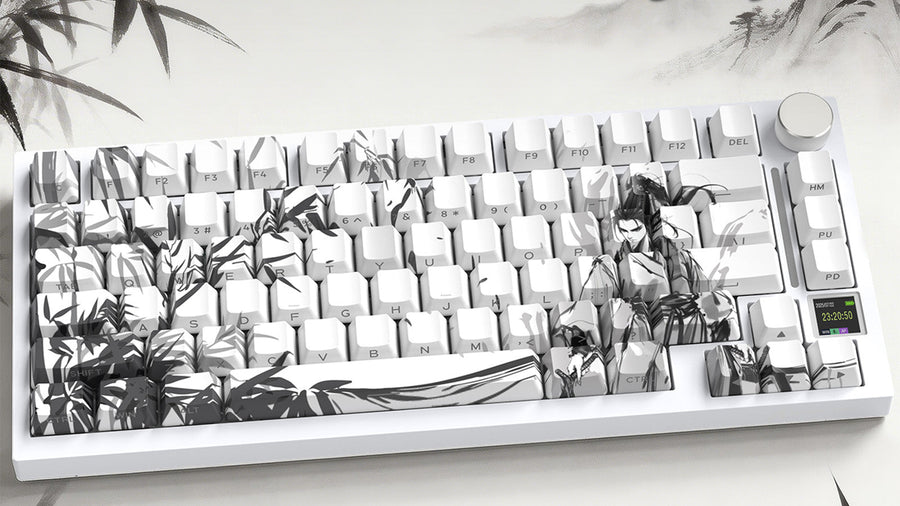
For many users, desk setup aesthetics are a major reason to choose a desk mat. A large mat can visually connect the monitor, keyboard, mouse, and accessories. It can also hide minor desk marks and create a cleaner background for the setup.
Visual Consistency
A desk mat gives the setup one continuous surface. This can make the desk look less cluttered, especially when the color matches the keyboard, mouse, monitor arm, or lighting.
A standard pad looks more functional and minimal. It can work better if the desk surface itself is attractive and does not need to be covered.
Desk Protection
Desk mats protect against scratches, keyboard feet marks, mouse movement, and light spills. They are useful for wood, painted, glass, or laminated desks that show wear easily.
A standard gaming mousepad protects only the mouse area. That may be enough for users who do not move equipment often, but it does not protect the keyboard area or writing space.
Cable And Accessory Control
A large mat can help keep smaller accessories from sliding around. It also gives the desk a more finished look. However, it may make cable dust and crumbs more noticeable, especially on darker fabric.
A smaller pad is easier to lift and clean. It also leaves more exposed desk area for notebooks, speakers, or other items.
Cleaning And Maintenance
Both options need cleaning, but desk mats usually require more effort because they are larger.
A standard pad can be washed or wiped more easily. It dries faster and is easier to replace if the surface wears out. This is useful for players who sweat often or eat at the desk.
A desk mat takes longer to clean and dry. Large stitched mats may also curl at the edges if washed too roughly. However, because they cover more space, they can help keep the desk itself cleaner.
Basic Cleaning Tips
Use a damp cloth for light dust and marks. For deeper cleaning, mild soap and cool water usually work for cloth pads. Avoid harsh chemicals, high heat, or aggressive scrubbing, because these can damage the surface or rubber base.
Let the pad dry fully before using it again. Moisture trapped in the mat can affect comfort and surface feel.
Which One Should You Choose?
The best choice depends on desk size, gaming style, and setup goals.
Choose a desk mat if you want more movement space, better keyboard acoustics, more desk protection, and stronger desk setup aesthetics. It is also a good choice for low-sensitivity players and mechanical keyboard users.
Choose a standard pad if you want a focused mouse surface, easier cleaning, less desk coverage, and more control over specific surface type. It is also better for small desks or users who prefer a firmer keyboard feel.
The most practical answer is simple: if mouse space and visual setup matter, choose a desk mat. If specialized performance and easy maintenance matter more, choose a standard gaming mousepad.
Conclusion: Choose The Surface That Fits Your Setup
A desk mat offers more coverage, better desk protection, improved keyboard feel, and a cleaner setup look. A standard mousepad is easier to clean, more compact, and often more specialized for mouse performance. The best choice depends on whether you value full-desk comfort and style or a focused surface built mainly for gaming control.
FAQ
Is A Desk Mat Better Than A Standard Mousepad?
Not always. In the desk mat vs standard mousepad comparison, a desk mat is better for coverage, comfort, aesthetics, and keyboard sound. A standard pad may be better for specialized gaming surfaces and easier cleaning.
Does An Extra Large Mousepad Help Gaming?
An extra large mousepad gaming setup helps if you use low sensitivity or often run out of mouse space. It is less important for high-sensitivity players who make smaller movements.
Does A Desk Mat Improve Mouse Glide And Tracking?
It can, but only if the surface is consistent and well made. Mouse glide and tracking depend on material quality, not just size.
Is A Desk Mat Good For Mechanical Keyboards?
Yes. A desk mat can soften typing feel and reduce desk vibration. It can also make the keyboard sound less sharp on hard surfaces.
What Size Gaming Mousepad Should I Buy?
Choose a size based on mouse sensitivity and desk space. Low-sensitivity players often benefit from larger pads, while high-sensitivity players can usually use a standard size comfortably. For long sessions, also consider wrist comfort and whether separate wrist/palm rests fit your setup.